Adaptive Software
Every Way to Customize a SaaS App Per Tenant (and When Each One Breaks Down)
Every multi-tenant SaaS product eventually runs into the same wall. You built one app to serve everyone, and then a customer asks for something the other customers do not need. Then another customer asks for something different. Then your biggest account says they will churn unless a specific field behaves a specific way, and your sales team says yes before engineering has a chance to weigh in.
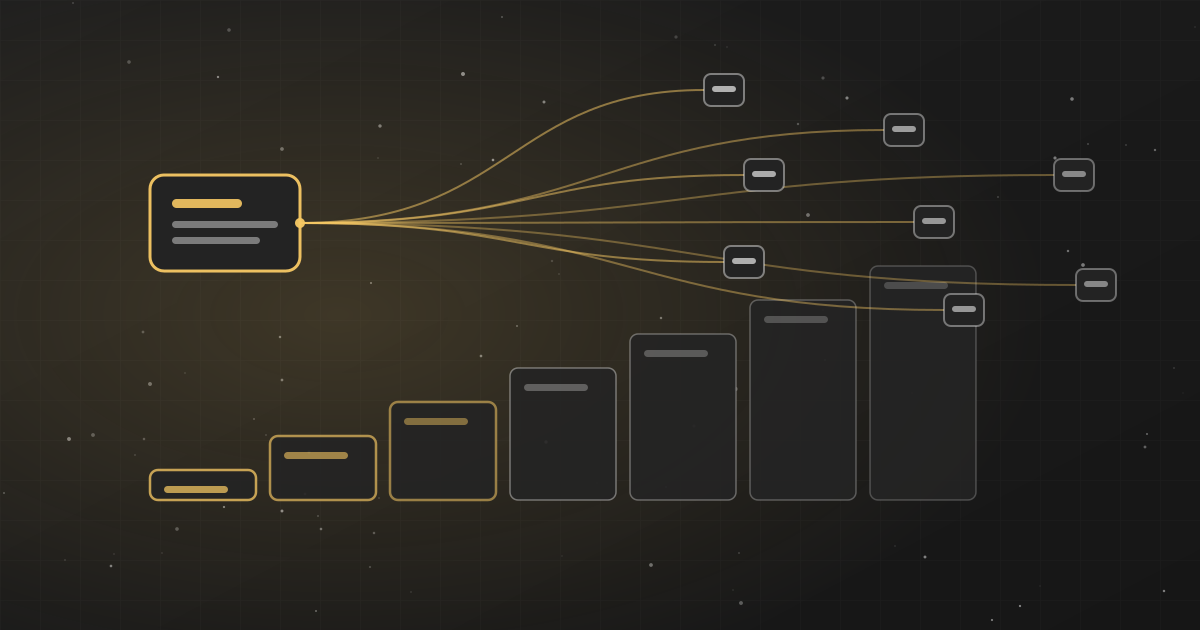
Per-tenant customization is the art of saying yes to enough of these requests to keep customers happy, without turning your codebase into a museum of one-off exceptions that nobody can safely change. There is no single correct answer. There is a spectrum of techniques, each with a different cost, a different blast radius, and a different point at which it stops being worth it.
This post walks through that spectrum from the cheapest, most contained approaches to the most divergent ones. Each section ends with a quick “best for / not suitable for / providers” summary so you can scan for the fit, and it is honest about the cases where a customer’s needs have simply diverged too far to keep in one codebase.
Per-tenant customization is the art of saying yes to enough of these requests to keep customers happy, without turning your codebase into a museum of one-off exceptions that nobody can safely change. There is no single correct answer. There is a spectrum of techniques, each with a different cost, a different blast radius, and a different point at which it stops being worth it.
This post walks through that spectrum from the cheapest, most contained approaches to the most divergent ones. Each section ends with a quick “best for / not suitable for / providers” summary so you can scan for the fit, and it is honest about the cases where a customer’s needs have simply diverged too far to keep in one codebase.
Subscribe to Adaptive Software
Deep dives on generative UI, adaptive interfaces, and where software is heading — straight to your inbox.
First, agree on what “customization” actually means
Before choosing a mechanism, separate three things that often get lumped together, because they have very different implications.
Configuration is changing behavior the product already supports. A tenant turns on two-factor authentication, sets their timezone, or picks which columns show in a table. The product anticipated this.
Customization is changing behavior the product did not specifically anticipate for that tenant. An extra approval step, a custom field that feeds a calculation, a different default view for sales versus support.
Divergence is when a tenant’s needs are structurally different enough that they are effectively running a different product. This is where on-prem deployments, heavily regulated industries, and your largest enterprise accounts tend to end up.
Most of the pain in per-tenant SaaS comes from using a divergence-level solution for a configuration-level problem, or stretching a configuration-level tool to cover genuine divergence. Matching the mechanism to the actual need is most of the battle.
Configuration is changing behavior the product already supports. A tenant turns on two-factor authentication, sets their timezone, or picks which columns show in a table. The product anticipated this.
Customization is changing behavior the product did not specifically anticipate for that tenant. An extra approval step, a custom field that feeds a calculation, a different default view for sales versus support.
Divergence is when a tenant’s needs are structurally different enough that they are effectively running a different product. This is where on-prem deployments, heavily regulated industries, and your largest enterprise accounts tend to end up.
Most of the pain in per-tenant SaaS comes from using a divergence-level solution for a configuration-level problem, or stretching a configuration-level tool to cover genuine divergence. Matching the mechanism to the actual need is most of the battle.
1. Configuration and settings
A settings table keyed by tenant, a JSON blob of preferences, an admin panel where tenants toggle their own options. The product ships with defined knobs, and each tenant sets them however they like. One code path, so testing covers everyone. Changes are data, not deployments. Nothing about tenant A’s settings can break tenant B, because behavior is bounded by options you designed.
Configuration is the right call whenever a need can genuinely be anticipated — the problem is rarely that a setting can’t exist. The problem is what happens after you add the hundredth one. You end up with more and more toggles until the configuration surface becomes its own unmaintainable product — the “settings explosion” — and the real damage is to the UI. A settings page with two hundred interacting toggles is not simpler than code; it is a wall of options where every user sees the union of everyone’s needs, and no user can find the five that matter to them.
This is where adaptive software (see below) becomes useful even for well-anticipated configuration. Rather than removing options, it can do interface collapse: watch what a given tenant or user actually reaches for, surface those controls, and let the rest fade. Configuration stays comprehensive under the hood, but each user sees a UI shaped to how they actually work instead of the full two-hundred-toggle firehose.
Best for: anticipated, bounded options; tenant self-service; anything you can predict up front.
Not suitable for: behavior outside the range you designed; requests that need net-new logic. (Note: the UI bloat of too many settings is a presentation failure, not a reason to stop configuring — pair it with interface collapse instead.)
Providers/tools: usually built in-house on a config store (a database table, AWS AppConfig, Firebase Remote Config); pair with an adaptive layer like Differ to keep the settings UI from becoming a wall.
Configuration is the right call whenever a need can genuinely be anticipated — the problem is rarely that a setting can’t exist. The problem is what happens after you add the hundredth one. You end up with more and more toggles until the configuration surface becomes its own unmaintainable product — the “settings explosion” — and the real damage is to the UI. A settings page with two hundred interacting toggles is not simpler than code; it is a wall of options where every user sees the union of everyone’s needs, and no user can find the five that matter to them.
This is where adaptive software (see below) becomes useful even for well-anticipated configuration. Rather than removing options, it can do interface collapse: watch what a given tenant or user actually reaches for, surface those controls, and let the rest fade. Configuration stays comprehensive under the hood, but each user sees a UI shaped to how they actually work instead of the full two-hundred-toggle firehose.
Best for: anticipated, bounded options; tenant self-service; anything you can predict up front.
Not suitable for: behavior outside the range you designed; requests that need net-new logic. (Note: the UI bloat of too many settings is a presentation failure, not a reason to stop configuring — pair it with interface collapse instead.)
Providers/tools: usually built in-house on a config store (a database table, AWS AppConfig, Firebase Remote Config); pair with an adaptive layer like Differ to keep the settings UI from becoming a wall.
2. Feature flags
It is tempting to reach for feature flags as a customization mechanism, but be honest about what they are actually good at. Flags started as a deployment-safety tool — ship code dark, roll it out gradually, kill it fast if it breaks — and that is still where they shine: progressive rollouts, A/B experiments, kill switches, and clean plan-level entitlements. In all of those cases the flag is meant to be temporary or binary and to eventually collapse: it either ships to everyone or becomes a simple pricing-tier check.
Per-tenant customization is a bad fit for exactly the reason you would expect. Each flag is a branch, and combinations grow multiplicatively rather than adding up: ten independent flags describe over a thousand possible configurations, and you are realistically testing a handful. Worse, customization flags never get cleaned up — a tenant always wants that behavior — so they become permanent branches that every engineer has to reason about forever. Logic like
The rule of thumb: use flags for rollouts, experiments, and a handful of stable, ideally short-lived entitlement gates. The moment you are using a flag to encode lasting, tenant-specific behavior, treat that as the signal you have outgrown flags and should move up the spectrum.
Best for: progressive rollouts, kill switches, A/B experiments, and plan-level entitlements — short-lived or binary gates.
Not suitable for: durable per-tenant customization; anything you know you will never delete; encoding genuinely different experiences per tenant.
Providers/tools: LaunchDarkly, Statsig, Split (Harness), Flagsmith, Unleash, ConfigCat, PostHog feature flags.
Per-tenant customization is a bad fit for exactly the reason you would expect. Each flag is a branch, and combinations grow multiplicatively rather than adding up: ten independent flags describe over a thousand possible configurations, and you are realistically testing a handful. Worse, customization flags never get cleaned up — a tenant always wants that behavior — so they become permanent branches that every engineer has to reason about forever. Logic like
if (tenant.hasFlag('customApproval') && tenant.region === 'EU' && !tenant.legacyBilling) spreads through the codebase, taxing every future change. Ten flags is not ten things to maintain; it is a test matrix nobody actually covers.The rule of thumb: use flags for rollouts, experiments, and a handful of stable, ideally short-lived entitlement gates. The moment you are using a flag to encode lasting, tenant-specific behavior, treat that as the signal you have outgrown flags and should move up the spectrum.
Best for: progressive rollouts, kill switches, A/B experiments, and plan-level entitlements — short-lived or binary gates.
Not suitable for: durable per-tenant customization; anything you know you will never delete; encoding genuinely different experiences per tenant.
Providers/tools: LaunchDarkly, Statsig, Split (Harness), Flagsmith, Unleash, ConfigCat, PostHog feature flags.
3. Theming and white-labeling
Many requests are cosmetic: put our logo here, use our brand colors, use our domain, send emails from our address. White-labeling handles this layer with a theming system, per-tenant assets, custom domains, and configurable copy. It is usually low-risk because presentation is relatively isolated from business logic, and done well it lets a reseller or agency ship your product as their own.
The trap is scope creep from appearance into structure. “Change our colors” is theming. “Reorder the steps in this workflow, hide these three fields, and rename this entire concept” is not, even though it often arrives in the same conversation. Theming systems that try to absorb structural change grow a slow, ad hoc layout engine that is harder to maintain than the thing it was avoiding.
Best for: branding, custom domains, per-tenant copy and assets; reseller/agency scenarios.
Not suitable for: structural changes to workflows, layouts, or data models disguised as “branding.”
Providers/tools: CSS variables/design tokens plus in-house theming; custom domains via your CDN or a service like Approximated; auth branding via Auth0/WorkOS.
The trap is scope creep from appearance into structure. “Change our colors” is theming. “Reorder the steps in this workflow, hide these three fields, and rename this entire concept” is not, even though it often arrives in the same conversation. Theming systems that try to absorb structural change grow a slow, ad hoc layout engine that is harder to maintain than the thing it was avoiding.
Best for: branding, custom domains, per-tenant copy and assets; reseller/agency scenarios.
Not suitable for: structural changes to workflows, layouts, or data models disguised as “branding.”
Providers/tools: CSS variables/design tokens plus in-house theming; custom domains via your CDN or a service like Approximated; auth branding via Auth0/WorkOS.
4. Extension points, plugins, and hooks
When needs go beyond toggles, build defined extension points: hooks where custom logic runs, a plugin API, webhooks, custom field definitions, or a scripting layer. The core stays fixed but exposes seams where per-tenant behavior attaches. This is how many mature platforms handle deep customization — you decide in advance where extension is allowed and, crucially, where it is not, so custom logic lives in a sandbox with a defined contract.
The costs are real. Designing good extension points is hard, because an API is a promise: once tenants build against a hook, you cannot casually change it, so you inherit versioning, deprecation, and backward-compatibility obligations. There is also an operational and security burden in running tenant-supplied code safely, and support ambiguity when a tenant’s own extension misbehaves.
Best for: customization as a core value prop; many tenants each wanting distinct behavior; ecosystems/marketplaces.
Not suitable for: a handful of customers who need small tweaks — the platform costs more than the customizations enable.
Providers/tools: Atlassian Forge, Salesforce/Shopify app models, Zapier/Make for integrations; sandboxed runtimes like Cloudflare Workers or Deno Deploy for tenant code; Temporal for custom workflows; Retool for embedded low-code.
The costs are real. Designing good extension points is hard, because an API is a promise: once tenants build against a hook, you cannot casually change it, so you inherit versioning, deprecation, and backward-compatibility obligations. There is also an operational and security burden in running tenant-supplied code safely, and support ambiguity when a tenant’s own extension misbehaves.
Best for: customization as a core value prop; many tenants each wanting distinct behavior; ecosystems/marketplaces.
Not suitable for: a handful of customers who need small tweaks — the platform costs more than the customizations enable.
Providers/tools: Atlassian Forge, Salesforce/Shopify app models, Zapier/Make for integrations; sandboxed runtimes like Cloudflare Workers or Deno Deploy for tenant code; Temporal for custom workflows; Retool for embedded low-code.
5. Metadata-driven architectures
A step further: build the product so large parts of its behavior are described by data rather than hardcoded. Forms, workflows, validation rules, even data models are defined in metadata the app interprets at runtime. Customizing a tenant becomes editing their metadata, not writing code. When it fits the domain it is remarkably powerful, because nearly everything becomes tenant-adjustable through one uniform mechanism.
The honesty required is about cost and ceiling. You are effectively writing an interpreter for your own domain, taking on its performance and complexity everywhere; debugging is harder because behavior lives in data, not code. And there is still a ceiling — tenants can only compose the primitives your model supports. It earns its keep at large scale with a stable domain; it is a heavy bet to make early.
Best for: large scale, stable domain, deep tenant-specific structure through one uniform model.
Not suitable for: early-stage products; small teams; domains still changing shape month to month.
Providers/tools: Salesforce Platform, ServiceNow, Microsoft Power Platform, Airtable/Smartsuite-style engines; often built in-house on a schema-as-data core.
The honesty required is about cost and ceiling. You are effectively writing an interpreter for your own domain, taking on its performance and complexity everywhere; debugging is harder because behavior lives in data, not code. And there is still a ceiling — tenants can only compose the primitives your model supports. It earns its keep at large scale with a stable domain; it is a heavy bet to make early.
Best for: large scale, stable domain, deep tenant-specific structure through one uniform model.
Not suitable for: early-stage products; small teams; domains still changing shape month to month.
Providers/tools: Salesforce Platform, ServiceNow, Microsoft Power Platform, Airtable/Smartsuite-style engines; often built in-house on a schema-as-data core.
6. Adaptive software: one codebase, per-tenant variants
A newer category aims for the benefits of divergence without the maintenance cost of many codebases: keep a single canonical app and derive an adapted version per tenant or per user, rather than gating variation behind flags or forking the repo.
Differ is an example of this adaptive-software approach. Its framing is “one stem, many lives”: your app stays canonical in your repository (the “stem”), and the platform derives per-user adapted versions from it while leaving the stem untouched. It observes real usage, detects signals, and when a change is within the guardrails you set, commits that change to a per-user version and routes that user to it. Schema, auth, and runtime shape are off-limits by default, which keeps the adaptation bounded. The appeal for per-tenant work is that variation does not live as branching logic inside one shared file every engineer must hold in their head.
A concrete example is the settings problem above. Interface collapse means the app watches what each user reaches for — the actions, views, and controls they actually use surface, and the rest fades — so a genuinely comprehensive configuration surface stops presenting as an overwhelming wall. This is where adaptive software complements configuration rather than replacing it: you keep every anticipated option, but each user gets a UI shaped to how they work. The same mechanism handles variation that would otherwise become a thicket of feature flags.
The honest caveats: this is an emerging approach rather than a decades-proven pattern, so it carries the usual tradeoffs of newer infrastructure — a dependency on the platform and its guardrail model, and getting comfortable with adaptations being derived rather than hand-written. Pilot it against a real slice of your product before betting a roadmap on it.
Best for: ongoing per-tenant or per-user variation where feature-flag combinatorics are becoming the bottleneck.
Not suitable for: air-gapped/on-prem environments it cannot observe; teams that need every variant hand-authored and reviewed.
Providers/tools: Differ (getdiffer.com).
Differ is an example of this adaptive-software approach. Its framing is “one stem, many lives”: your app stays canonical in your repository (the “stem”), and the platform derives per-user adapted versions from it while leaving the stem untouched. It observes real usage, detects signals, and when a change is within the guardrails you set, commits that change to a per-user version and routes that user to it. Schema, auth, and runtime shape are off-limits by default, which keeps the adaptation bounded. The appeal for per-tenant work is that variation does not live as branching logic inside one shared file every engineer must hold in their head.
A concrete example is the settings problem above. Interface collapse means the app watches what each user reaches for — the actions, views, and controls they actually use surface, and the rest fades — so a genuinely comprehensive configuration surface stops presenting as an overwhelming wall. This is where adaptive software complements configuration rather than replacing it: you keep every anticipated option, but each user gets a UI shaped to how they work. The same mechanism handles variation that would otherwise become a thicket of feature flags.
The honest caveats: this is an emerging approach rather than a decades-proven pattern, so it carries the usual tradeoffs of newer infrastructure — a dependency on the platform and its guardrail model, and getting comfortable with adaptations being derived rather than hand-written. Pilot it against a real slice of your product before betting a roadmap on it.
Best for: ongoing per-tenant or per-user variation where feature-flag combinatorics are becoming the bottleneck.
Not suitable for: air-gapped/on-prem environments it cannot observe; teams that need every variant hand-authored and reviewed.
Providers/tools: Differ (getdiffer.com).
7. Separate deployments and single-tenant instances
Sometimes the cleanest way to give a tenant something different is a dedicated instance: same codebase, own database, own environment, sometimes their own version. Common for large enterprise accounts and often the entry point to on-prem. Strong isolation and flexibility — tenants can be on different versions, data is physically separated (which matters for compliance, residency, and security reviews), and one tenant’s load or incident does not touch another’s.
The costs are operational and they compound. Every instance is another thing to deploy, monitor, patch, and back up. Ten tenants on ten versions is ten times the upgrade and incident surface, and costs stop amortizing across a shared fleet. It works with a manageable number of high-value tenants; it becomes painful across thousands of small customers.
Best for: high-value tenants needing isolation, data residency, or their own version cadence.
Not suitable for: thousands of small tenants where per-instance overhead destroys unit economics.
Providers/tools: Kubernetes + Helm, Terraform/Pulumi for per-tenant provisioning; Nomad; Replicated for packaging and distributing instances.
The costs are operational and they compound. Every instance is another thing to deploy, monitor, patch, and back up. Ten tenants on ten versions is ten times the upgrade and incident surface, and costs stop amortizing across a shared fleet. It works with a manageable number of high-value tenants; it becomes painful across thousands of small customers.
Best for: high-value tenants needing isolation, data residency, or their own version cadence.
Not suitable for: thousands of small tenants where per-instance overhead destroys unit economics.
Providers/tools: Kubernetes + Helm, Terraform/Pulumi for per-tenant provisioning; Nomad; Replicated for packaging and distributing instances.
8. On-prem and air-gapped
For some customers, running in your cloud is not an option. Regulated industries, government, defense, and security-sensitive enterprises may require the software in their own environment, sometimes fully air-gapped with no outbound connectivity. This is the far end of divergence, and it changes the rules.
On-prem breaks assumptions most customization strategies quietly depend on. You cannot flip a feature flag from a central service if the customer is air-gapped. You may not see their logs, ship a fix quickly, or even know what version they run. Upgrades happen on their schedule, so many versions live in the wild at once. Anything relying on a live connection back to you — remotely managed flags, adaptive platforms that observe usage, centralized config — has to be rethought or dropped.
Best for: regulated, sovereign, or air-gapped customers who must control the environment.
Not suitable for: any strategy that depends on phoning home — remote flags, live observation, central config.
Providers/tools: Replicated, Docker/Helm charts baked with config; offline license tooling; a deliberately small set of supported versions.
On-prem breaks assumptions most customization strategies quietly depend on. You cannot flip a feature flag from a central service if the customer is air-gapped. You may not see their logs, ship a fix quickly, or even know what version they run. Upgrades happen on their schedule, so many versions live in the wild at once. Anything relying on a live connection back to you — remotely managed flags, adaptive platforms that observe usage, centralized config — has to be rethought or dropped.
Best for: regulated, sovereign, or air-gapped customers who must control the environment.
Not suitable for: any strategy that depends on phoning home — remote flags, live observation, central config.
Providers/tools: Replicated, Docker/Helm charts baked with config; offline license tooling; a deliberately small set of supported versions.
9. Forks and separate products: when divergence is the honest answer
Finally, the case teams most want to avoid: a tenant’s needs have diverged so far that keeping them in the shared product does more harm than good. At some point, maintaining a customer wrapped in conditionals and special cases costs more than the account is worth and slows every other customer’s roadmap.
A hard fork is usually the wrong long-term answer — two products, none of the shared leverage, and the fork drifts from mainline every month. But recognizing genuine divergence early is valuable. Sometimes the right call is a separate product line with its own roadmap; sometimes repricing the account so the customization pays for its maintenance; sometimes a respectful no. The failure mode is not forking — it is pretending a divergent customer is a configuration problem and slowly poisoning the shared codebase until velocity collapses for everyone.
Best for: a customer genuinely running a different product, with the revenue to fund a separate line.
Not suitable for: anything you can still solve one tier down; forking to avoid a hard product conversation.
Providers/tools: none to buy — this is a product, pricing, and org decision, backed by ordinary version control.
A hard fork is usually the wrong long-term answer — two products, none of the shared leverage, and the fork drifts from mainline every month. But recognizing genuine divergence early is valuable. Sometimes the right call is a separate product line with its own roadmap; sometimes repricing the account so the customization pays for its maintenance; sometimes a respectful no. The failure mode is not forking — it is pretending a divergent customer is a configuration problem and slowly poisoning the shared codebase until velocity collapses for everyone.
Best for: a customer genuinely running a different product, with the revenue to fund a separate line.
Not suitable for: anything you can still solve one tier down; forking to avoid a hard product conversation.
Providers/tools: none to buy — this is a product, pricing, and org decision, backed by ordinary version control.
Choosing along the spectrum
Reach for the least powerful mechanism that solves the actual problem, and move up only when you have evidence you have outgrown the current one.
Start with configuration for anything you can anticipate. Use feature flags for what they are actually good at — rollouts, experiments, and a few stable entitlement gates — but not as your per-tenant customization mechanism; once a flag encodes lasting tenant-specific behavior, you have outgrown it. Use theming for branding, kept strictly to presentation. Invest in extension points or a metadata-driven core only when deep customization is central to your value and you have enough tenants to justify a platform. Consider adaptive-software approaches like Differ when per-tenant or per-user variation is ongoing and flag combinatorics are the bottleneck. Reserve separate instances for high-value tenants needing isolation, and treat on-prem as its own discipline with reduced, self-contained flexibility. And when a customer has genuinely diverged, name it, price it, or decline it rather than absorbing it into the shared codebase.
Most teams do not fail because they picked the wrong point once. They fail because they never move — stretching one mechanism far past its useful range, piling toggles onto configuration, or letting feature flags multiply until no one can reason about the product. The healthiest per-tenant strategy is not a single choice but a willingness to keep matching the mechanism to the real shape of the need as your customers, and your product, grow.
Start with configuration for anything you can anticipate. Use feature flags for what they are actually good at — rollouts, experiments, and a few stable entitlement gates — but not as your per-tenant customization mechanism; once a flag encodes lasting tenant-specific behavior, you have outgrown it. Use theming for branding, kept strictly to presentation. Invest in extension points or a metadata-driven core only when deep customization is central to your value and you have enough tenants to justify a platform. Consider adaptive-software approaches like Differ when per-tenant or per-user variation is ongoing and flag combinatorics are the bottleneck. Reserve separate instances for high-value tenants needing isolation, and treat on-prem as its own discipline with reduced, self-contained flexibility. And when a customer has genuinely diverged, name it, price it, or decline it rather than absorbing it into the shared codebase.
Most teams do not fail because they picked the wrong point once. They fail because they never move — stretching one mechanism far past its useful range, piling toggles onto configuration, or letting feature flags multiply until no one can reason about the product. The healthiest per-tenant strategy is not a single choice but a willingness to keep matching the mechanism to the real shape of the need as your customers, and your product, grow.